 wonder watt
Power your tomorrow, today!
wonder watt
Power your tomorrow, today!
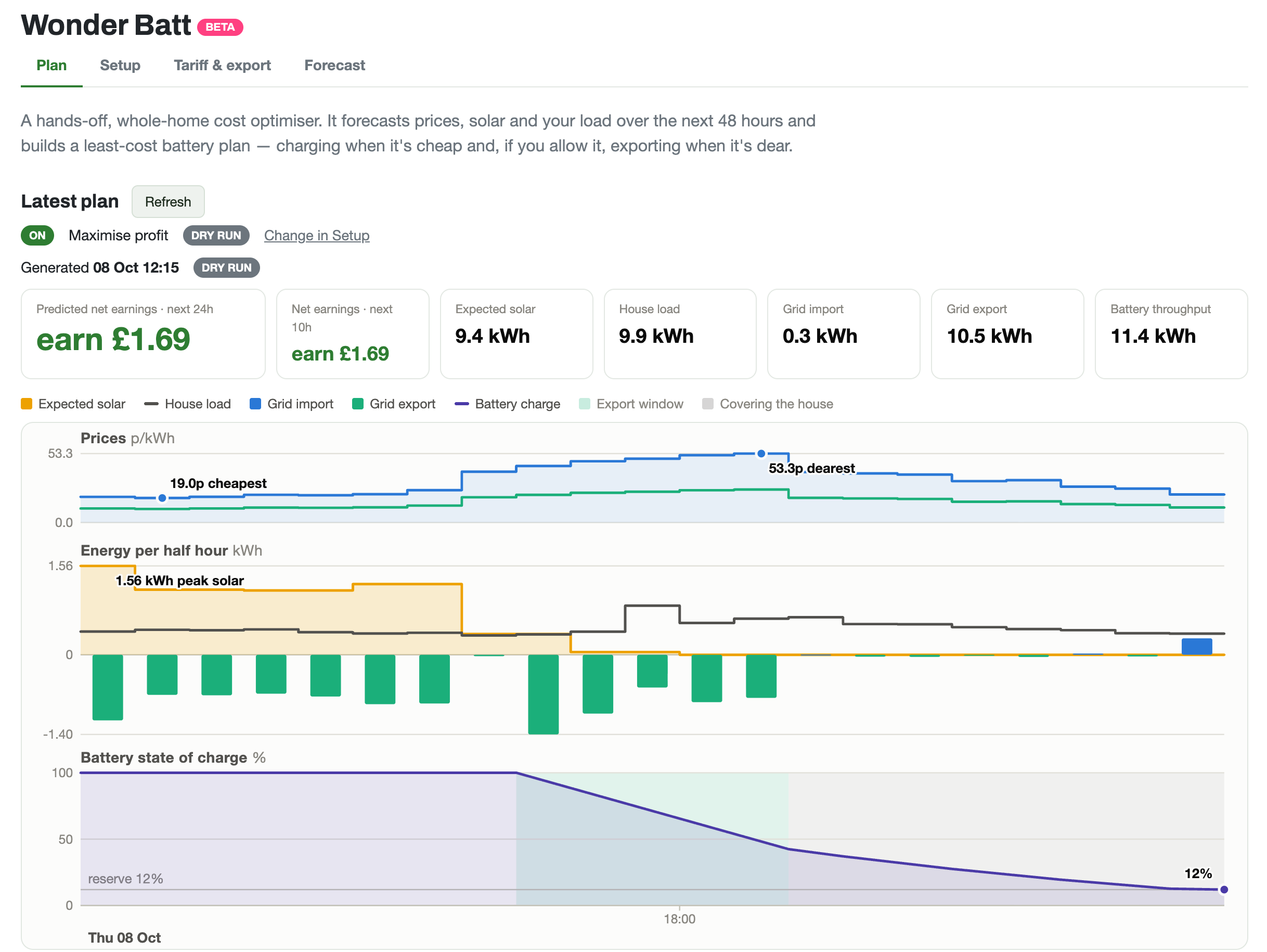
Wonder Watt runs your Growatt battery through the Growatt cloud (the ShinePhone app and Growatt server), the same cloud its own app uses, so there is no Home Assistant, Raspberry Pi, dongle or other hardware to set up. You connect it with the email or username and password you use for the ShinePhone app, and Wonder Batt then plans when to charge, hold and export, 48 hours ahead, around your tariff and solar forecast.

You need the email or username and password you use for the ShinePhone app. That's all: no software to install.
Then choose how it runs: Wonder Batt plans everything for you, or you set your own schedules and Wonder Watt adjusts them around your prices and solar forecast.
Models: The SPH and MIN hybrid ranges, the MOD series and all BMS versions we have seen. AC coupled systems are supported. Growatt was our first integration, live since 2023. See supported inverters for every brand.
Home Assistant setups for Growatt usually need a Modbus connection to the inverter, through an RS485 adapter or a replacement Wi-Fi dongle, and an automation or Predbat to plan the battery. That gives you local control and endless flexibility, at the cost of a computer running at home, the wiring, the configuration, and keeping it all working through updates.
Wonder Watt is for owners who want the result without the project: it works through the Growatt cloud (the ShinePhone app and Growatt server), there's nothing to maintain, and support comes from the people who build it. The trade-off is that it needs the Growatt cloud (the ShinePhone app and Growatt server) to be online to make changes, and it costs a subscription after the free trial. Compare the two in detail.
“It was pretty easy to control things before WonderBatt was introduced, but now I don't take any action at all - WonderBatt is doing everything!”
“Yes you can setup a raspberry pi and set it up to do this but honestly do you want the bother and monitoring of this. I couldn't get it working reliably with my battery.”
“Wonderbatt has been running my home battery and solar system for a couple of weeks now and it's great. Turn it on and forget … it's saved me a fortune”
Customers' own words, from Trustpilot; “…” marks words left out. Results depend on your system, tariff and usage.
Yes. Wonder Watt runs your Growatt battery through the Growatt cloud (the ShinePhone app and Growatt server), the same cloud its own app uses, so there is no Home Assistant, Raspberry Pi, dongle or other hardware to set up. You connect it with the email or username and password you use for the ShinePhone app, and Wonder Batt then plans when to charge, hold and export, 48 hours ahead, around your tariff and solar forecast.
No. Your Growatt already reports to the Growatt cloud (the ShinePhone app and Growatt server), and Wonder Watt sends its instructions the same way. Nothing is wired to the inverter and nothing runs at your house.
You need the email or username and password you use for the ShinePhone app. Choose Growatt in Wonder Watt. Enter the username and password you use for ShinePhone or the Growatt server website. Press Connect. If you have more than one plant or inverter, pick the one with your battery.
The SPH and MIN hybrid ranges, the MOD series and all BMS versions we have seen. AC coupled systems are supported. Growatt was our first integration, live since 2023.
Yes. Octopus Agile, Intelligent Octopus Go, Go, Flux and Cosy, EDF FreePhase and GoElectric, other time of use tariffs or your own rates, with Agile Outgoing, Flux or a fixed rate for export. With Octopus or EDF it reads your tariff from your account, and on Intelligent Octopus Go it uses your car's extra cheap slots.
Yes. The trial is 14 days free with no payment details, and Wonder Batt starts with a dry run: it shows you what it would do with your Growatt without sending anything to it. Press Go live when the plan looks right.