 wonder watt
Power your tomorrow, today!
wonder watt
Power your tomorrow, today!
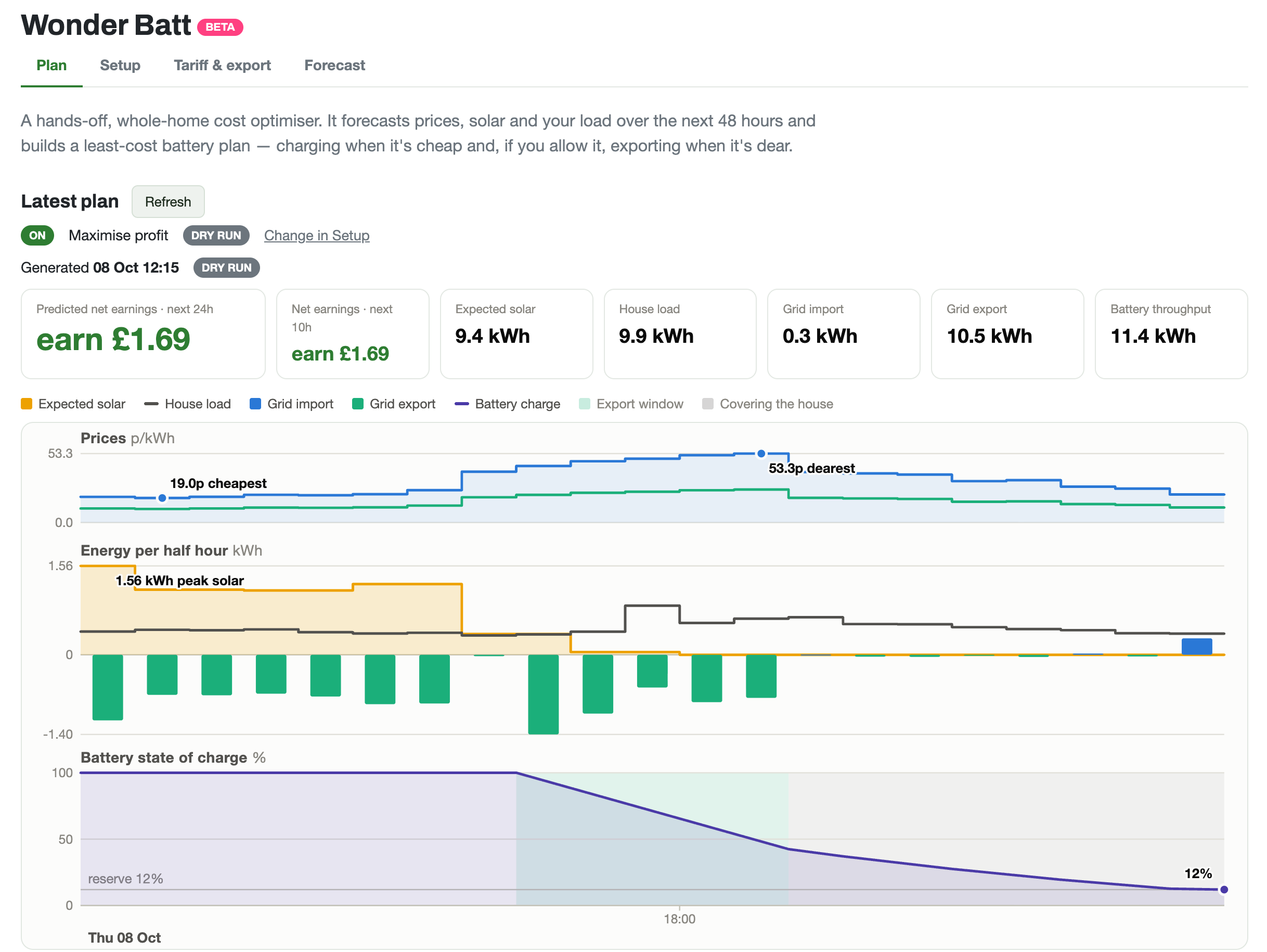
Yes. Wonder Watt is a hosted web app that runs GivEnergy, Growatt, Solax, AlphaESS, Solis, FoxESS, Sunsynk, Deye and Sigenergy batteries through each manufacturer's own cloud, so there is no Home Assistant, Raspberry Pi, dongle or home server. Its Wonder Batt planner decides when to charge, hold and export, 48 hours ahead, around your tariff, your solar forecast and how your home uses energy.
The popular do-it-yourself route is Home Assistant with an integration for your inverter and a planner such as Predbat. It's free, local and endlessly flexible, and plenty of people enjoy building it. Wonder Watt is for people who want a smart battery without the project.
| Home Assistant (with Predbat or automations) | Wonder Watt | |
|---|---|---|
| Hardware | A computer running all the time (Raspberry Pi, mini PC or server), and for most inverters an RS485 adapter or replacement data logger | None: it uses the cloud your inverter already reports to |
| Setting up | Install Home Assistant, add and configure the inverter integration, then install and configure the planner | Sign in, enter your inverter's cloud login or API key, press Connect |
| Keeping it running | Updates, backups, and fixing things when an update breaks them | Done for you |
| Control | Usually local, keeps working without the internet | Through the manufacturer's cloud, which has to be online |
| Flexibility | Anything you can build, across your whole home | Battery, solar, tariff and export: what Wonder Watt offers |
| Trying it safely | Up to you | A dry run shows the plan before it touches your battery |
| Help | Community forums | The team that builds it, plus a community forum |
| Cost | Free software, plus the hardware | 14 days free, then a subscription |
Choose Home Assistant if you enjoy tinkering, want local control, or already run it for the rest of your home. Choose Wonder Watt if you'd rather your battery just ran itself, and you'd rather not maintain a computer to make it happen.
“Yes you can setup a raspberry pi and set it up to do this but honestly do you want the bother and monitoring of this. I couldn't get it working reliably with my battery.”
“Absolutely brilliant app that looks at your system and tariffs and plans your battery charging to maximise efficiency and minimise cost … No more setting up charging slots manually”
“It was pretty easy to control things before WonderBatt was introduced, but now I don't take any action at all - WonderBatt is doing everything!”
Customers' own words, from Trustpilot; “…” marks words left out.
Yes. Wonder Watt is a hosted web app that runs GivEnergy, Growatt, Solax, AlphaESS, Solis, FoxESS, Sunsynk, Deye and Sigenergy batteries through each manufacturer's own cloud, so there is no Home Assistant, Raspberry Pi, dongle or home server. Its Wonder Batt planner decides when to charge, hold and export, 48 hours ahead, around your tariff, your solar forecast and how your home uses energy.
It solves the same problem, planning a home battery around smart tariff prices and the solar forecast, without needing Home Assistant. Predbat is free, open source and very configurable, and runs inside Home Assistant on a computer at home. Wonder Watt runs in the cloud with nothing to install or maintain, has a dry run so you can check its plan first, and costs a subscription after a 14 day free trial.
Wonder Watt controls your inverter through its manufacturer's cloud, so it needs that cloud to be online to make changes, and it only does what Wonder Watt offers rather than anything you could build. Home Assistant with a local connection keeps working without the internet and can automate anything in your home, but you set it up and maintain it yourself.
No. If your inverter already reports to its manufacturer's app, Wonder Watt can work with it. You connect it with the login or API key from that app or the manufacturer's developer portal.
Octopus Agile, Intelligent Octopus Go, Go, Flux and Cosy, EDF FreePhase and GoElectric, British Gas Electric Driver, E.ON Next Drive, fixed tariffs or your own time of use rates, with Agile Outgoing, Flux or a fixed rate for export. It also takes part in Axle grid export events.
For most brands a few minutes: sign in with Google or your email, enter your inverter's cloud details and press Connect. Solis is the exception: Solis has to switch on remote control for your account first, which takes a support ticket and a short wait.
14 days free. Sign in with Google or your email, no payment details.
Start your free trial GivEnergy
 Growatt
 Solax
 AlphaESS
 Solis
 FoxESS
 Sunsynk
 Deye
 Sigenergy